Choosing a gift for a gamer can mean improving a familiar setup or making room for a new way to play. These eight picks cover PC and console gear, streaming, sound, and home entertainment.
Consider what the recipient already owns and how they play before choosing. A quick compatibility check can help make a practical gift feel personal.
8 Gift Ideas for Gamers and Their Setups
SteelSeries Arctis Nova 7P Wireless Gaming Headset

- Mix calls or music with game audio using dual audio streams.
- A retractable microphone tucks away for commutes.
- USB-C Fast Charge gives 6 hours of play after a 15 min charge.
Best Gift For: A gamer who wants wireless audio across PlayStation, PC, Switch, VR, or mobile play.

SteelSeries Apex Pro HyperMagnetic Gaming Keyboard

- Adjust actuation across 40 levels for different keys.
- Assign two different actions to the same key.
- The OLED display shows information from games and apps.
Best Gift For: A PC gamer who enjoys adjusting key response and personalizing their controls.
SteelSeries Rival 5 Gaming Mouse

- Programmable layout includes five quick-action side buttons.
- The optical sensor provides true 1-to-1 tracking.
- The mouse weighs 85g.
Best Gift For: A PC gamer who plays Battle Royale, FPS, MOBA, or MMO games.
FIFINE AmpliGame AM8 XLR/USB Gaming Microphone

- Connect through USB or XLR.
- USB connection enables tap-to-mute and gain controls.
- RGB lighting can be changed with the RGB button over USB.
Best Gift For: A gamer who records streams, podcasts, voiceovers, or other creative audio.
Audioengine A2+ Wireless Computer Speakers

- Compact powered speakers are engineered for listening at a desk.
- Stream wirelessly from phones, tablets, and computers.
- Connect a computer directly through USB-C.
Best Gift For: A gamer who also listens to music, podcasts, or movies at a desk.
TP-Link AXE5400 Tri-Band WiFi 6E Router

- Tri-Band WiFi 6E supports gaming, streaming, and downloading at once.
- OFDMA technology increases capacity for simultaneous transmission.
- OneMesh can extend coverage with a TP-Link OneMesh Extender.
Best Gift For: A gamer sharing a home network with multiple connected devices.
Valerion VisionMaster Pro Triple Laser Projector
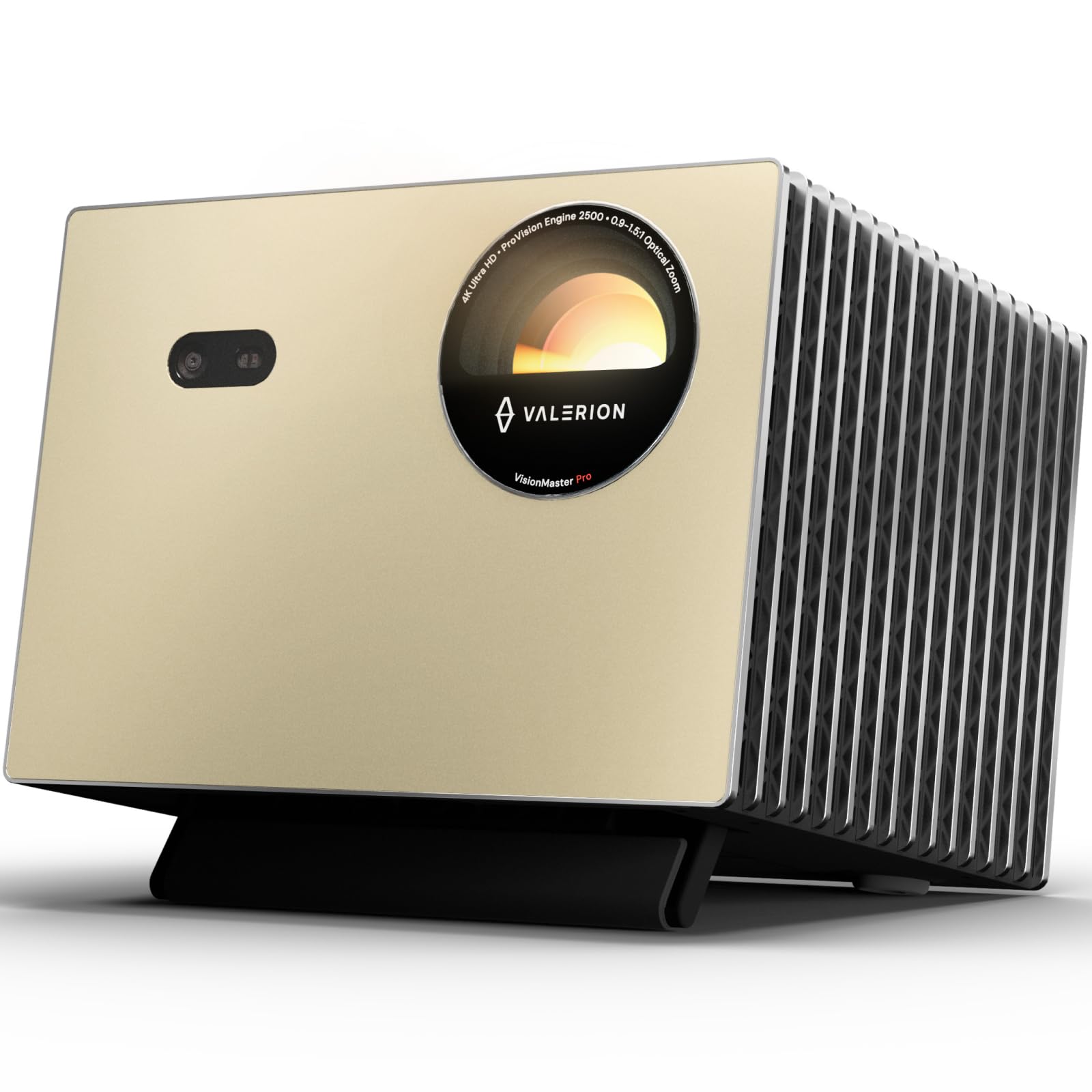
- Projects up to 300 inches for a large-screen setup.
- The gaming mode supports 4ms input lag and a 240Hz refresh rate.
- RPG, FPS, and RCG modes offer gameplay options.
Best Gift For: A gamer with room for a large projected screen who also enjoys movie nights.
SABRENT USB-C 6-Port Hub & M.2 SSD Dock

- Includes an M.2 slot for extra storage on the go.
- The HDMI port supports an external display up to 4K@60Hz.
- Designed for Windows, macOS, and Linux systems.
Best Gift For: A gamer who connects a laptop or handheld device to extra storage, a display, or wired networking.
Choosing from gifts for gamers
Start with the way the person plays. A console player who moves between devices may appreciate gear suited to more than one platform, while a PC player may value a keyboard or mouse that fits their preferred games.
If you are unsure, ask what they use most often or notice which parts of their setup they regularly adjust.
Think about the whole routine around gaming, too. A headset can suit someone who plays with friends and takes calls, while a microphone makes more sense for someone who records or streams.
For a household where several people use the network, a router may address a shared need rather than one person's desk.
Room and setup habits help narrow the choices. Speakers and a projector suit someone who has space for sound or a larger viewing area; a hub is relevant when a laptop or handheld needs connections.
Check the recipient's devices, desk space, and existing accessories before settling on a gift.
Balance the gift with the budget
Set a comfortable budget before choosing a category. Small accessories can make useful gifts when you know the recipient's setup, while larger equipment calls for more planning and confidence about space and compatibility.
A thoughtful match to their routine often matters more than choosing the biggest upgrade.
For gifts for gamers, compare the role a product will play in the setup. A microphone may be valuable to someone beginning to record, while a larger entertainment upgrade fits a person who already wants a shared play or movie space.
Check actual prices and current product details before buying, since prices can change.
Remember that some upgrades work best alongside existing equipment. A hub needs a compatible device, and a router choice depends on the home network and internet equipment.
If an accessory requires another component to serve its intended purpose, include that in your budget and consider whether the recipient already has it.
Make gifts for gamers feel personal
Personalization starts with noticing what the recipient enjoys. A player who talks about a favorite game genre may appreciate controls tailored to that style, while a person who shares gameplay or audio may value recording gear.
Use what you know about their habits to choose a gift that feels considered rather than generic.
A small note can explain why you chose it: perhaps you noticed their desk is crowded, their group chats interrupt game audio, or they want to play on a larger screen. Keep the message warm and specific without claiming the gift will solve every setup issue.
For gifts for gamers, that personal connection can be part of the present.
Presentation can make technical gifts easier to enjoy. Wrap the main item with a short card describing the intended use, and, if appropriate, offer to help check setup instructions together.
Avoid opening or configuring a device without the recipient's agreement, especially when accounts, preferences, or existing equipment are involved.
Check compatibility before you buy
Compatibility is often the most useful last-minute check. Confirm the recipient's platform, connection types, and any devices they intend to use with the gift.
For networking or display equipment, make sure the existing home setup can support the planned connection, and check current dimensions where space matters.
If you are shopping close to an occasion, check delivery estimates at checkout and confirm the seller's current return terms. Avoid assuming an item will arrive by a particular date.
A gift receipt or a note about exchanging for a compatible option can take pressure off when a model choice is uncertain.
For gifts for gamers, steer toward a category you have seen them use or discuss if you need to decide quickly. A familiar need, such as more desktop connections or a microphone for recordings, gives you a practical starting point.
Verify compatibility and current details before placing the order, then include a simple card explaining your thought.
Wrap up the choice thoughtfully
A good gaming gift fits the person's space, routine, and interests. Think through whether they play alone or with others, use a desk or shared screen, and already own the accessory you are considering.
Those details help you choose something they can use comfortably.
When uncertain, ask a discreet question about the setup or invite a friend or family member who knows it well to help. Avoid guessing about technical compatibility based only on appearance.
Confirm the product's current details and dimensions, and leave room for the recipient to exchange it if their setup differs from what you expected.
Finish with presentation that suits the occasion: keep packaging tidy, add a brief personal message, and make any setup assistance an offer rather than an assumption. The most satisfying choice is one that reflects how this person actually enjoys gaming and makes their existing routine a little more convenient or fun.