This MAONO DGM20S review looks at a USB gaming microphone built around desktop streaming and game chat, with a boom arm, tap-to-mute control, and adjustable RGB lighting.
MAONO DGM20S Review Summary
The quick verdict
6,000+ ratings
Read Amazon ReviewsMAONO DGM20S
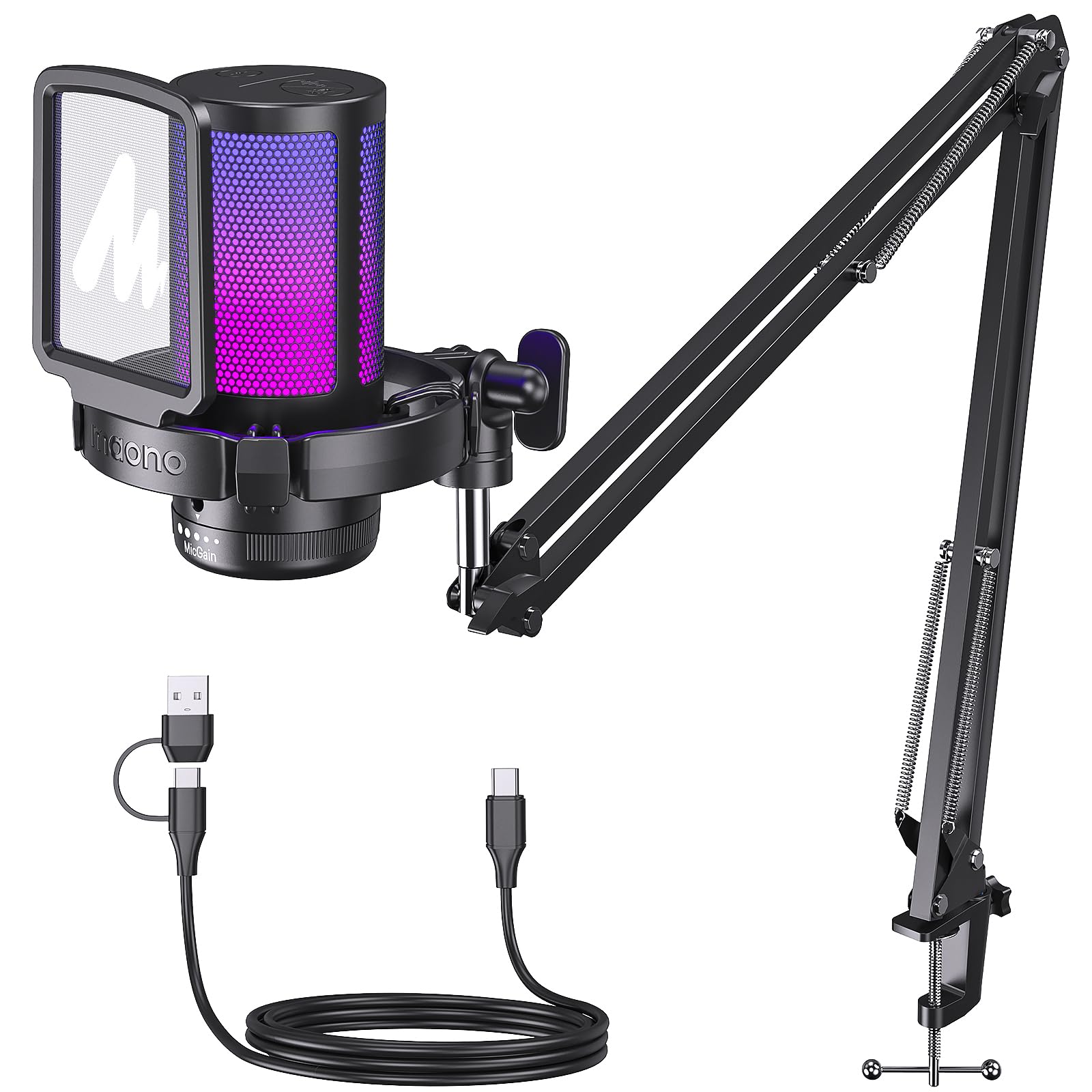
A PC gaming microphone for buyers who want a boom arm, tap-to-mute control, adjustable RGB, and included accessories in one setup.
- Cardioid pickup pattern focuses on sound from the mic’s front.
- One-click noise cancellation is designed to reduce background noise.
- Top-mounted mute button, gain knob, and zero-latency headphone monitoring.
- Nine RGB lighting modes with controls to change color or switch the lights off.

Pros
- Useful desktop controls include tap-to-mute, gain adjustment, and headphone monitoring.
- The adjustable arm positions close to the speaker and folds away when not in use.
Consider before buying
- Xbox owners should choose another setup, since this microphone is not compatible with Xbox.
- The included arm and clamp need a suitable desk edge and space for positioning; buyers with a crowded or unconventional workstation should check fit before choosing it.
Read the full review summary
The MAONO DGM20S combines a cardioid pickup pattern with one-click noise cancellation, giving gaming and streaming setups tools to focus capture toward the mic’s front and reduce background noise.
A top-mounted mute button, gain knob, and zero-latency headphone monitoring make it a practical choice for buyers who want key controls within reach.
Its included metal arm stand, shock mount, and removable pop filter suit a fixed desk where the mic can be positioned near the speaker and folded away afterward.
Windows, Mac, and PS5/4 compatibility broadens its use, while the Xbox exclusion matters for console buyers.
The buying factors
MAONO DGM20S Scorecard
Editorial scores reflect listed features and buyer fit; they are not laboratory measurements or customer ratings.
Gaming and streaming focus
Cardioid pickup focuses capture toward the mic front, while one-click noise cancellation is intended to reduce background noise for game and streaming voice use.
On-mic controls
A top mute button and gain knob provide direct control, with headphone monitoring for checking voice level as you adjust.
Mounting flexibility
The adjustable metal arm can bring the mic closer during use and fold away to save desk space, which suits a semi-permanent desktop setup.
Setup simplicity
It connects over USB, needs no drivers, and works with Windows, Mac, and PS5/4; Xbox is excluded.
Lighting customization
Nine RGB modes and a long-press light-off option let buyers tailor the desk appearance or turn the lighting off.
Included desk accessories
The package combines an arm stand, shock mount, pop filter, clamp, and both USB and USB-C cables, reducing the need to source basic mounting pieces separately.
Key Features and Specifications of MAONO DGM20S
- Cardioid pickup pattern focuses on sound from the mic’s front.
- One-click noise cancellation is designed to reduce background noise.
- Top-mounted mute button, gain knob, and zero-latency headphone monitoring.
- Nine RGB lighting modes with controls to change color or switch the lights off.
- Adjustable metal boom arm, shock mount, and removable pop filter.
- USB connection; compatible with Windows, Mac, and PS5/4, but not Xbox.
Pros and Cons of MAONO DGM20S
Pros
- Useful desktop controls include tap-to-mute, gain adjustment, and headphone monitoring.
- The adjustable arm positions close to the speaker and folds away when not in use.
- The package includes a shock mount, pop filter, desktop clamp, and USB and USB-C cables.
- RGB offers nine modes, with a control to turn the lights off.
Consider before buying
- Xbox owners should choose another setup, since this microphone is not compatible with Xbox.
- The included arm and clamp need a suitable desk edge and space for positioning; buyers with a crowded or unconventional workstation should check fit before choosing it.
- For frequent outdoor or untreated-room recording, check whether the noise reduction and microphone pickup suit the environment before buying.
Who Should Buy MAONO DGM20S?
Good fit
Choose the MAONO DGM20S if you mainly game or stream at a computer and want mute and gain controls close at hand.
Its cardioid pickup, noise cancellation, and headphone monitoring suit voice-focused desktop use without requiring a separate arm or pop filter purchase.
It also fits buyers who value a tidy adjustable setup: the arm can be pulled near the mouth during use and folded aside later, while the shock mount and pop filter address vibration and plosive noise concerns.
Who should skip it
Skip this model if Xbox is your required platform, because it is not compatible with Xbox. Buyers seeking an XLR-based studio microphone for music production should also consider whether this USB gaming-oriented setup matches their recording workflow.
MAONO DGM20S Review Analysis
Voice pickup and noise control
Cardioid pickup prioritizes sound arriving from the mic’s front, a sensible arrangement for a speaker seated at a desk.
The one-click noise cancellation is intended to reduce background noise, but buyers should still consider their room and keep the microphone positioned near their voice for game chat or streaming.
Controls while streaming
The top mute button supports quick silencing, and the gain knob lets users adjust voice level instead of relying only on software controls.
Zero-latency headphone monitoring adds a way to check the signal while adjusting, which is useful when balancing game chat or a stream session.
Desk placement and room fit
The metal arm adjusts for different setups, bringing the mic close when speaking and folding away to reclaim space.
A clamp-based arm works best when the desk edge and surrounding area can accommodate it, so measure your intended placement and check clearance before buying.
Platform and connection fit
The USB setup is intended for Windows computers, Mac, and PS5/4, with no driver installation required. That makes it approachable for a straightforward gaming station, though Xbox users need a different microphone option.
Alternatives to MAONO DGM20S
Vocal Condenser Microphones alternative
2,000+ ratings
Read Amazon ReviewsRØDE NT1 Signature Series Large-Diaphragm Condenser Microphone
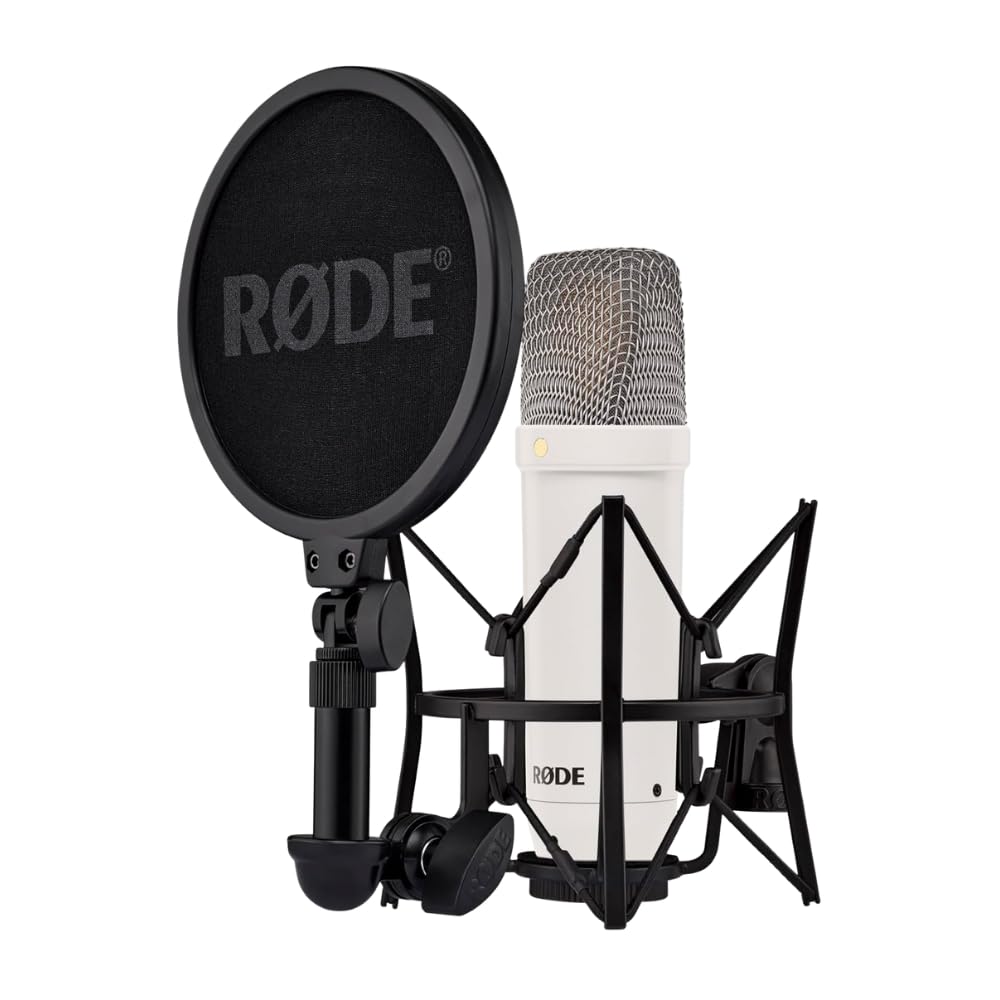
Choose the NT1 Signature Series for a studio-oriented music or vocal recording setup with XLR connection and included studio accessories; choose the DGM20S for PC game chat and streaming with on-mic controls and a boom arm.
- The NT1 Signature Series is a studio condenser suited to music production and vocal recording, and includes an XLR cable, shock mount, and pop filter.
- The DGM20S is designed for PC gaming and streaming, with noise cancellation, RGB lighting, a boom arm, mute and gain controls, and headphone monitoring.
Vocal Condenser Microphones alternative
14,000+ ratings
Read Amazon ReviewsFIFINE AmpliGame A6V USB Gaming Microphone
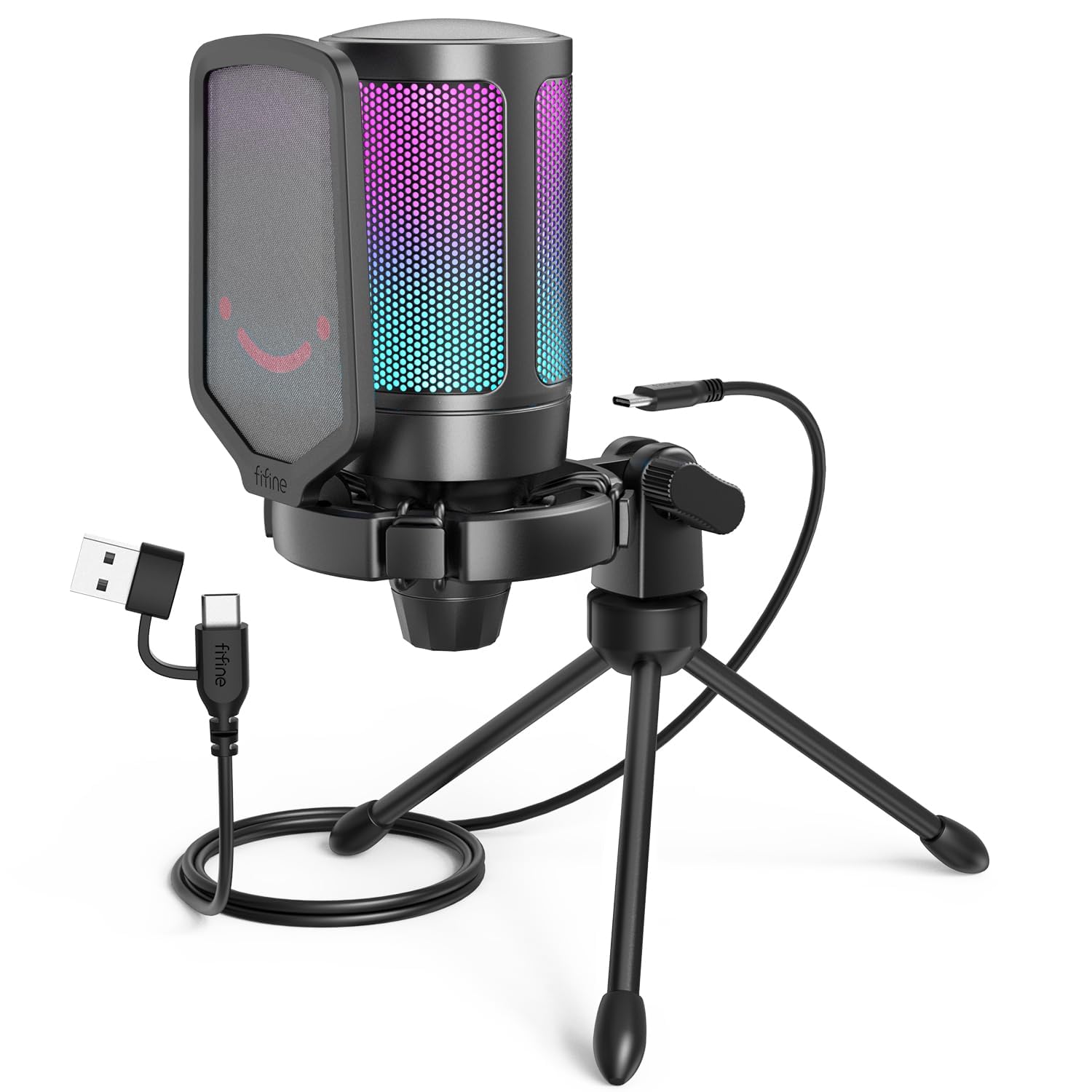
Choose the AmpliGame A6V if a tripod-mounted USB gaming mic for PC or PlayStation better fits your desk; choose the DGM20S if you want an adjustable boom arm, noise cancellation, and headphone monitoring in the microphone setup.
- The AmpliGame A6V is a USB gaming microphone for PC and PS5 with quick mute, gain control, RGB lighting, and a tripod stand; it also works with PS4 and Mac/Windows systems.
- The DGM20S brings a boom arm, tap-to-mute, gain control, and headphone monitoring to PC gaming and streaming, with RGB lighting and noise cancellation.
Is MAONO DGM20S Worth It?
The MAONO DGM20S is worth considering for PC gamers and streamers who want an adjustable boom arm, quick mute and gain controls, headphone monitoring, and a package that includes a shock mount and pop filter.
Those features make it a convenient all-in-one direction for a desktop voice setup.
Buy it when its gaming-focused controls and Windows, Mac, or PS5/4 compatibility fit your setup. Skip it if you need Xbox support or a studio workflow built around XLR; this is a USB gaming microphone.
Your review at a glance
6,000+ ratings
Read Amazon ReviewsMAONO DGM20S
A PC gaming microphone for buyers who want a boom arm, tap-to-mute control, adjustable RGB, and included accessories in one setup.
- Cardioid pickup pattern focuses on sound from the mic’s front.
- One-click noise cancellation is designed to reduce background noise.
- Top-mounted mute button, gain knob, and zero-latency headphone monitoring.
- Nine RGB lighting modes with controls to change color or switch the lights off.